
Is Snaptroid Legit?
Yes, and it is reasonably safe too, provided you download it properly. Snaptroid is a real, actively maintained tool with a large existing user base, not a one-page scam site that disappears in a month. That said, "legit" and "risk-free" are not the same thing. Like every APK distributed outside the Play Store, the safety of your specific install depends on where you got the file, not just on the app itself.
Why Some Search Results Call Snaptroid a Scam
If you searched "is Snaptroid safe" and found security write-ups warning about a scam, that coverage is real, it is just not describing this app. Several security sites have reported on a different product also using the Snaptroid name that promises to unlock someone else's private Snapchat data, their Best Friends list, My Eyes Only folder, Snap Score, or saved messages, usually gated behind a "verification" survey that never actually delivers anything. That is a fundamentally different claim from what the app covered on this site does.
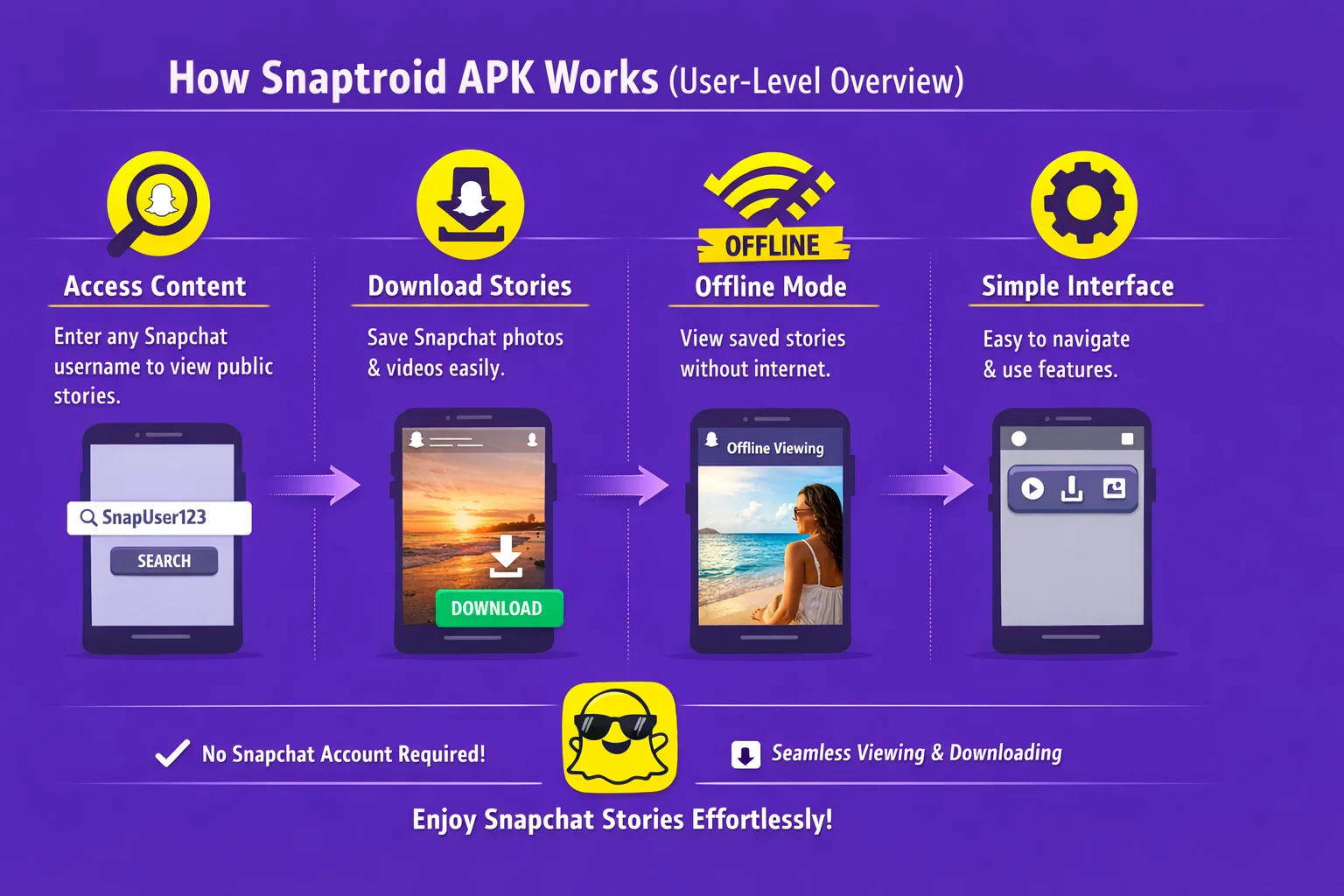
The Snaptroid covered in these guides only loads Snapchat stories a user has already made public. It does not claim to unlock anyone's private account data, does not involve a survey or "verification" step of any kind, and does not ask for a Snapchat login at all. If you come across a site promising to reveal someone's private data behind a task list or survey, the warnings you found describe exactly that pattern, and the same skepticism applies there.
Why Is Snaptroid Trending in 2026?
Interest in third-party Snapchat tools has grown alongside general frustration with how much account overhead the official app requires just to view public content. Snaptroid's combination of a small install size, no login requirement, and regular updates has made it one of the more visible names in this space, which is also exactly why it attracts both genuine reviews and a fair number of fake copies riding on its name.
What Permissions Does Snaptroid Actually Need?
- Storage access, so it can save downloaded stories and media to your device
- Network access, so it can load story content over the internet
That is the full list for the core app. It does not need your contacts, your location, or your Snapchat password. If a version you downloaded asks for anything beyond storage and network access, that is a strong sign it has been repackaged with something extra bundled in, and you should uninstall it.
Common Security and Privacy Concerns
Fake or Repackaged Copies
The single biggest real risk in this category is a fake APK carrying the Snaptroid name while running unrelated, malicious code underneath. This is a distribution problem, not a flaw in the real app.
Ad Injection
Some unofficial mirrors repackage legitimate apps with extra ad libraries bolted on, which can show up as unusual pop-ups or redirects that the genuine app does not produce.
Overreaching Permission Requests
Any copy asking for permissions well beyond storage and network access, contacts, camera, SMS, should be treated as a red flag rather than a normal variation.
Signs of an Unsafe APK Site
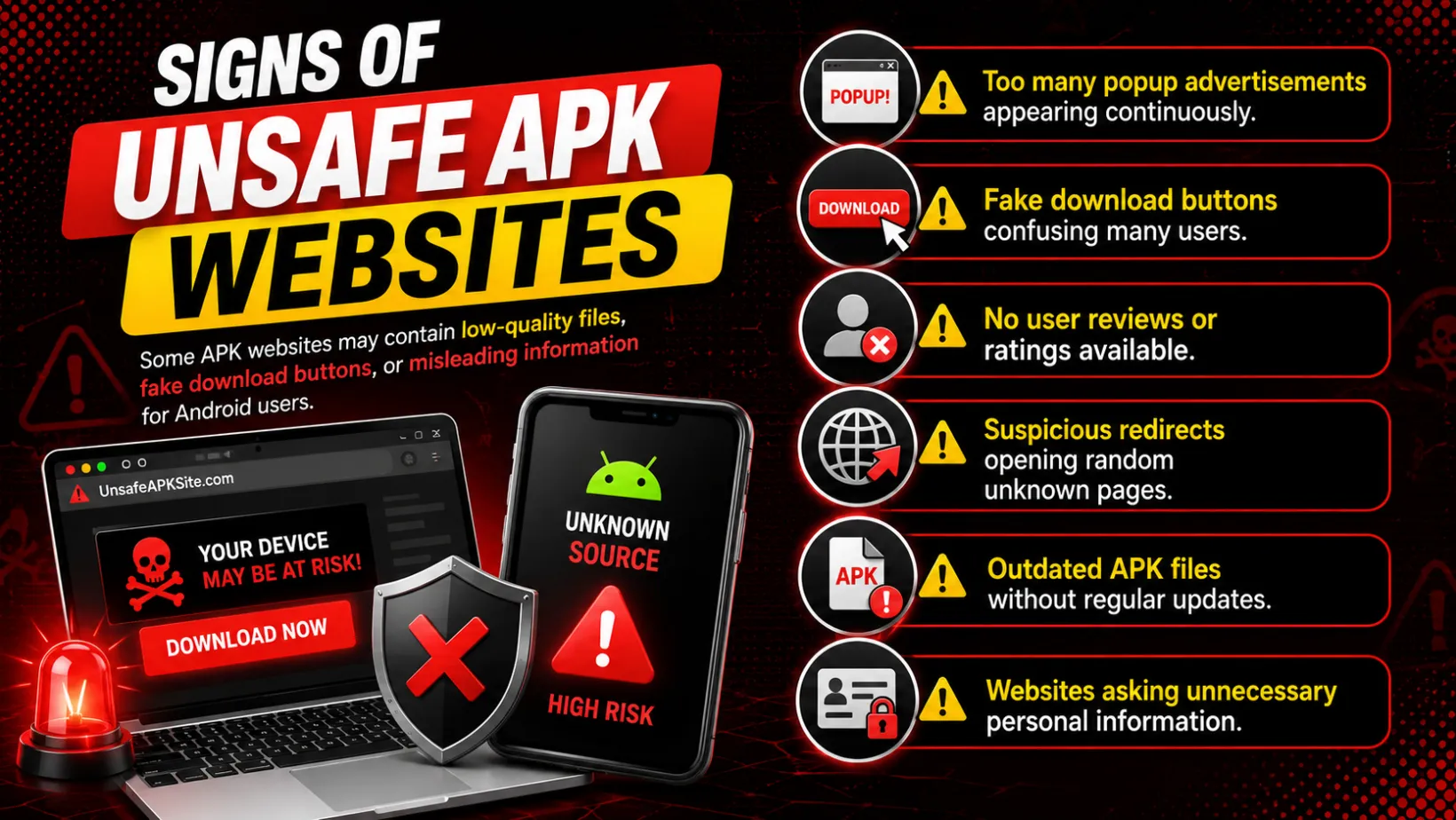
Most of the actual risk in this category comes from where you download from, not the app itself. Watch for:
- Too many popup ads appearing continuously, especially ones that try to trigger a download on their own
- Fake download buttons scattered around the page, sometimes several on the same screen
- No user reviews or ratings anywhere on the site
- Suspicious redirects that bounce you through two or three unrelated pages before the file loads
- Outdated APK files with no changelog or update history
- Sites asking for personal information before they let you download anything
How to Check If Your Copy Is Safe
Check the Site's Reputation
Search the domain name on its own before trusting it with a download. A site with no history, no reviews and no other content beyond a download button is worth a second look.
Scan the APK File
Use your phone's built-in security tools or a reputable antivirus app before installing, the same habit worth applying to any file from outside an official store.
Check the Permissions Requested
Storage and network access only. Anything asking for contacts, camera, SMS or accessibility access has no legitimate reason to.
Use the Latest Version
Confirm what the current release actually looks like before installing an unfamiliar file using our version-by-version download guide.
Read Recent User Feedback
Where available, rely on outside feedback rather than the download page's own claims about itself.
Avoid Verification-Gated Downloads
Sites that require completing tasks or surveys before unlocking the file are a distribution red flag on their own, a pattern covered in detail in our guide on verification-gated downloads.
Is Snaptroid a Virus?
The genuine app is not a virus. The confusion usually comes from antivirus tools flagging APKs installed outside the Play Store as a category, a blanket warning about sideloading in general rather than evidence of anything malicious in this specific file. That said, fake copies bundled with actual malware do circulate under Snaptroid's name on low-quality download sites, which is exactly why the source matters more than the app.
Pros and Cons of Snaptroid's Safety Profile
Pros
- Minimal permission footprint, just storage and network access
- Does not require your Snapchat password
- Actively maintained with regular updates
- Large enough user base that problems tend to surface and get discussed quickly
Cons
- Not reviewed by an official app store
- Fake copies exist under the same name
- Responsibility for a safe download falls on the user
Frequently Asked Questions
Is Snaptroid safe to install in 2026?
Yes, when downloaded from a trustworthy source and kept updated. The app itself only needs storage and network access, nothing that should raise concern on its own.
Is Snaptroid a virus?
The genuine app is not. Antivirus tools sometimes flag any sideloaded APK as a category-level warning, not evidence of malware in this specific file. Fake copies bundled with real malware do exist elsewhere, which is why the source matters.
Can Snaptroid get my Snapchat account banned?
Since Snaptroid only views publicly available content and does not log into your Snapchat account, it does not interact with Snapchat's systems in a way that would put your own account at risk the way credential-based tools can.
What should I do if I already installed a suspicious copy?
Uninstall it immediately, run a security scan on your device, and reinstall a clean copy from a source you trust. If you entered any Snapchat credentials into it, change your Snapchat password as a precaution.
Is this the same Snaptroid reported as a scam?
No. Security sites have reported on a different product using the Snaptroid name that promises to unlock someone's private Snapchat data behind a verification survey. The app covered here only loads stories a user has already made public, asks for no survey, and does not claim to access anyone's private account.
Final Verdict
Snaptroid itself is not the risk, the download source is. Treat it the way you would any APK from outside an official store: check where it came from, check what it asks for during install, and keep it updated. Do that, and the app is about as safe as this category of tool gets.